
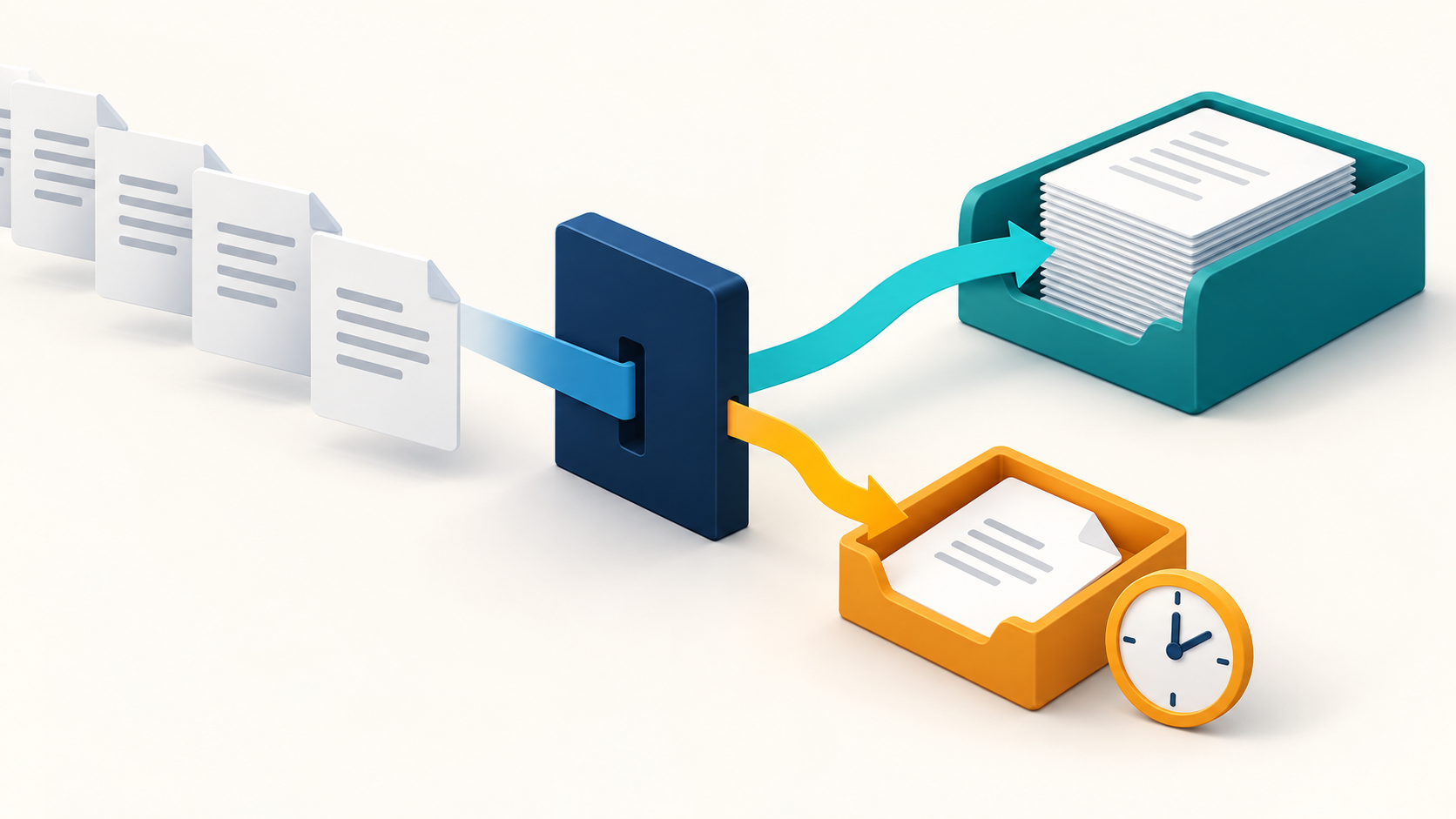
AI referral triage helps staff find urgent referral faxes sooner. It can classify incoming documents and route them for review using criteria approved by the care team. This reduces manual sorting and ensures staff see the documents that need attention first. The same approach applies to all other clinical document types, as well.
Below, we’ll walk through how AI-assisted fax routing helps staff act promptly and ultimately expedite care.
Manual referral intake begins when someone opens the inbox. Automated classification starts upon document delivery, relying on an event-driven workflow that triggers AI classification as soon as transmission is complete.
Most classification tasks finish quickly, if not instantly. Processing time and system backlogs still matter, but they’re generally negligible compared to what human staff experience with a stack of paper documents.
Naturally, staff still need to be available for review and follow-up tasks, since humans in the loop are a core safety and accuracy measure. Automation speeds up triage and reduces staff workload, but humans still determine what happens next.
Recent AI models are extraordinarily good at inferring urgency from text. AI can separate urgent from routine referrals from both subjective criteria (like a referring clinician’s description) and objective criteria (like standard routing rules).
A referral classified as urgent can enter a priority queue for staff review, whereas a routine referral will be sent to the standard intake workflow. Note that AI is not entrusted with clinical assessment for care decisions, which are strictly the domain of the care team.
Once AI assigns a priority, the routing workflow connects the referral to the team responsible for reviewing it. Each queue can have its own response target and notification rules, so urgent referrals receive different handling from routine intake.
For example, an urgent referral can trigger an alert to the assigned team and an escalation if it remains unreviewed past the configured target. Routine referrals can follow a longer response window, with overdue items flagged for follow-up.
Human judgment resolves referrals that don’t fit the routing rules. Ambiguous urgency information, conflicting instructions, or even poor image quality should trigger an exception workflow, not a default “routine” label.
Confidence thresholds help select cases for review, but a high score does not prove that the routing decision is correct. A “golden” test set pairs representative referrals with reviewer-approved outcomes to show how different thresholds affect missed urgent cases and review volume. Ongoing monitoring covers automatically routed referrals as well as exceptions, since some errors never reach the review queue. Our evaluation guide explains this approach in more detail.[How Do You Know the AI Got It Right – A Buyer’s Framework for Evaluating LLM Actions in Fax Automation]
The same approach can help route other incoming documents, such as discharge summaries, consents, and general correspondence. Each category needs its own destination and handling rules.
Document type helps determine where a fax goes, while urgency affects how quickly it receives attention. A lab result, for example, can enter the appropriate team’s queue and receive a priority based on separate routing criteria. When the fax’s label conflicts with its contents, the workflow can flag that discrepancy for human review.
AI triage turns incoming faxes into work that staff can prioritize and act on. Paperless Productivity® helps healthcare organizations connect their fax systems to these intake workflows.
Contact us to discuss your referral intake workflow with a senior consultant and identify where AI fax triage can immediately reduce delays.
It classifies incoming faxes and applies care-team-approved rules to route referrals for staff review.
No. AI supports intake and routing. The care team remains responsible for clinical assessment and care decisions.
Separate queues can help, but priority views in a shared queue can also work. Both need clear ownership and response targets.
The workflow should send it for human review. Missing urgency information should not automatically make it routine.